AI in Project Management: 12 Advanced Plays for Team Leaders
Relay Orchestrator·18 min read
Most teams use AI in project management as a faster typewriter drafting tasks and summarizing meetings. The real leverage is different: AI is best at noticing what humans can't watch continuously, like estimation bias, overloaded teammates, silent tasks, and slipping dates. This guide gives team leaders 12 advanced, copy-paste-ready plays across planning, assignment, visibility, risk, communication, and cost plus the math to put a dollar figure on the time you win back.
It's 4:40 on a Thursday. You've been in six meetings, answered forty-something "quick questions," and rewritten the same status update three times for three different people. The work you're actually paid to do deciding where the project should go next hasn't been touched.
That's the real job of most team leaders, and the numbers back it up. Asana's Anatomy of Work research found that "work about work" coordination instead of skilled work takes up 58% of the average knowledge worker's day. Microsoft's 2025 Work Trend Index found people are interrupted roughly every two minutes, around 275 times a day.
AI in project management was supposed to fix this. For most teams, it hasn't because they're pointing it at the wrong part of the job.
This article covers where AI actually earns its keep for team leaders: 12 specific plays you can run this week, the prompts to run them, what not to hand over to AI, and a simple formula to calculate the time and money you get back.
Why AI in Project Management Matters Most for Team Leaders
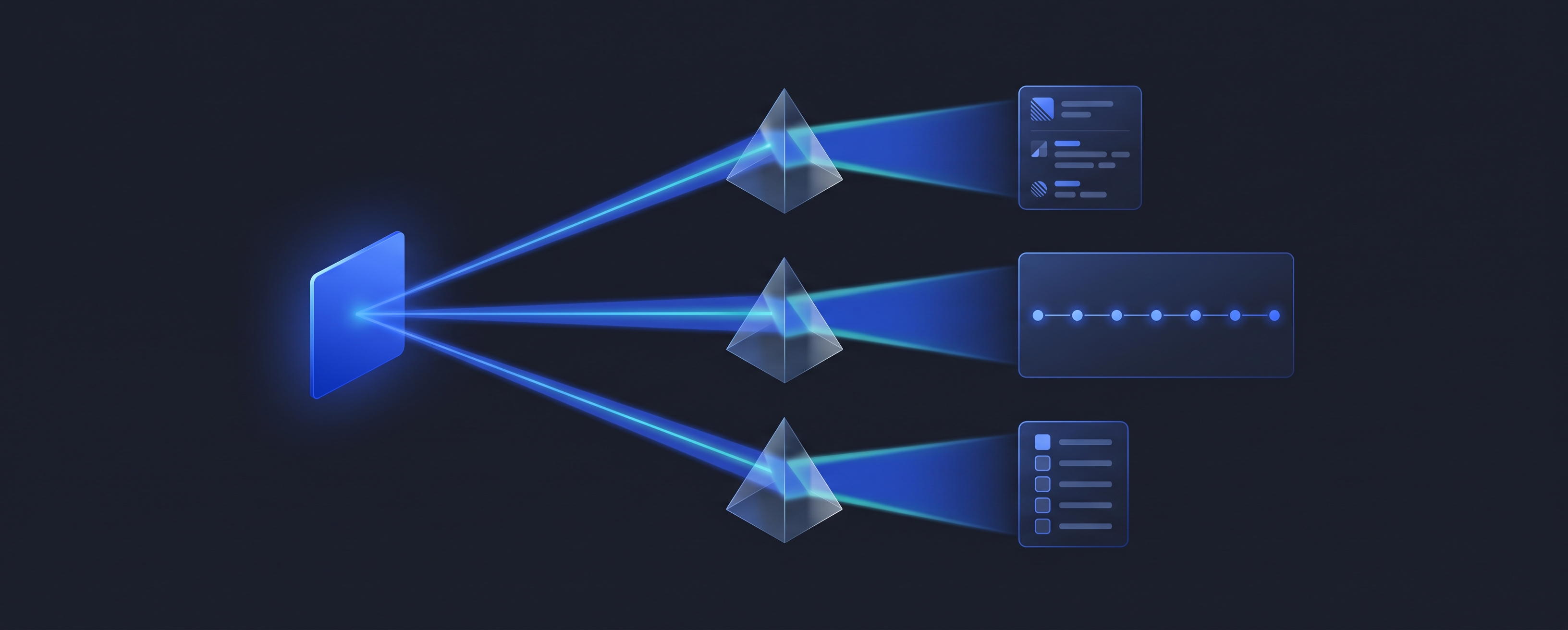
ai-generation-vs-monitoring
Coordination overhead doesn't fall evenly across a team. Individual contributors feel the interruptions. Team leaders are the routing layer those interruptions pass through every blocker, every "where are we on this?", every shifted deadline lands on your desk first.
Back in 2019, Gartner predicted that by 2030, AI would eliminate 80% of today's project management work specifically data collection, tracking, and reporting. Read that list again. It isn't the judgment layer of the job. It's the clerical layer. The part of project management that's automatable is exactly the part team leaders like least.
There's also a harder truth underneath. Bent Flyvbjerg's database of more than 16,000 projects shows that only 8.5% land on time and on budget, and just 0.5% do that and deliver the benefits they promised. His research points to a consistent root cause: projects rarely go wrong in delivery first. They go wrong in planning, through optimism and bad forecasting.
Forecasting, pattern-spotting, and continuous monitoring are precisely where AI is strongest. That's the opportunity.
Why Most Teams Get Almost Nothing From AI
Here's the typical adoption path. Someone pastes meeting notes into a chatbot and asks for a summary. Someone else generates a task list from a project brief. It saves twenty minutes here and there. Nice but nothing about how the project runs has actually changed.
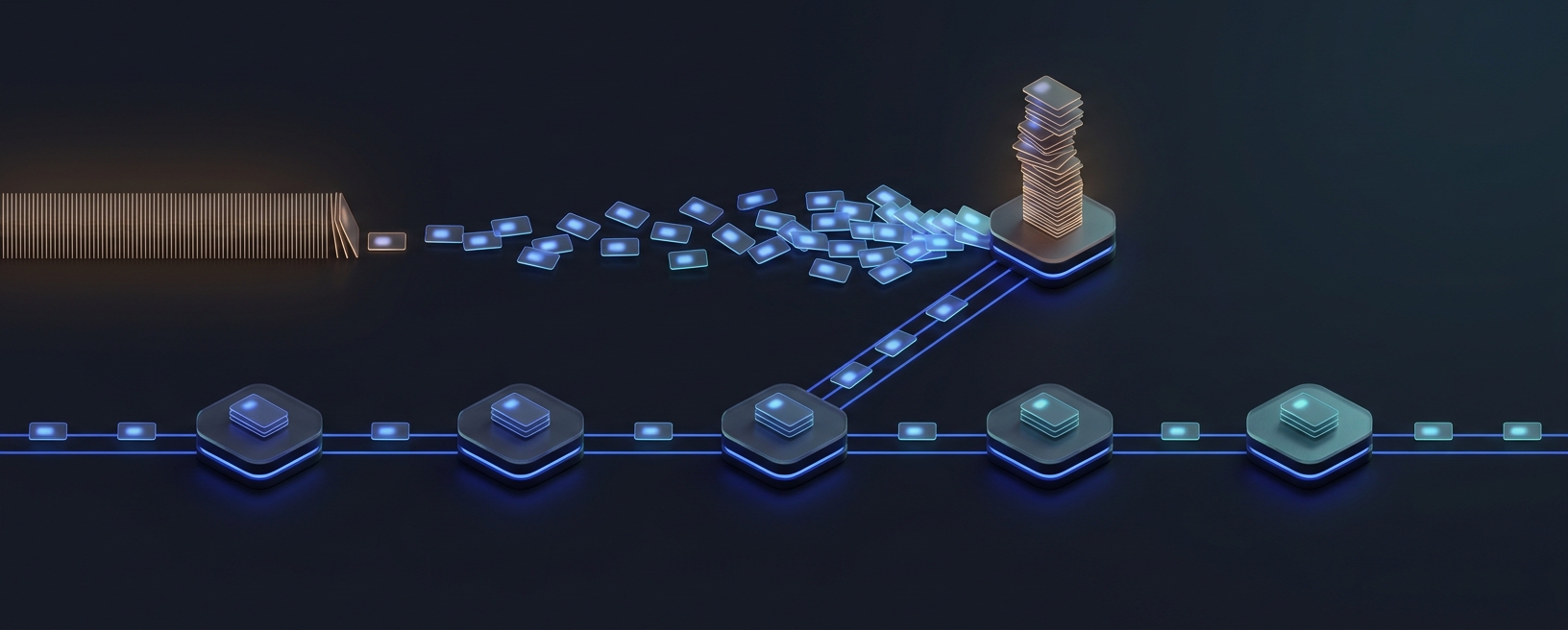
The problem is that these are generation tasks. Generating a plan happens once. The hard part of project management is the hundreds of small signals that come after it: a date that quietly moved, a task nobody has touched in nine days, a teammate sitting on seven open items. Humans are genuinely bad at that kind of continuous, low-grade vigilance. Machines are genuinely good at it.
The second problem is stale data. Plenty of tools have bolted an AI button onto a tracker that still depends on people remembering to update it. If the underlying data is a week old, the AI's insights are a week old just delivered with more confidence.
When we talk to team leaders who have gotten real value from AI, they all made the same shift. The highest-value use of AI in project management isn't creating things faster. It's noticing things sooner. Keep that lens in mind as you read the plays below.
12 Advanced Ways Team Leaders Can Use AI in Project Management
The plays are grouped into six angles: planning, assignment, visibility, risk, communication, and cost. Each one includes a prompt you can run today with any capable AI assistant and a data export from your current tools.
Angle 1: Planning
1. Calibrate estimates against your team's own history
Everyone knows estimates run optimistic. Almost no team knows how optimistic, broken down by type of work. Flyvbjerg's fix is called reference-class forecasting: base new forecasts on how similar past work actually went, not on how confident everyone feels about this one.
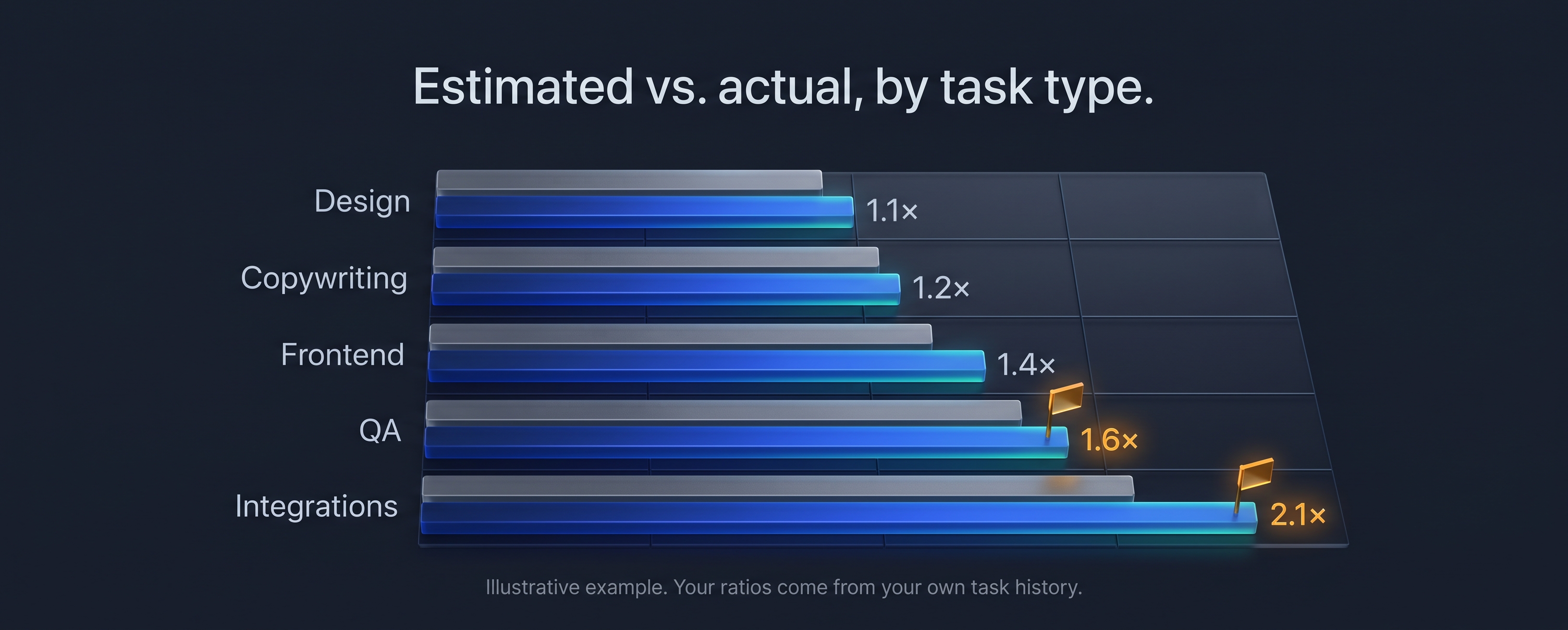
Export the last 60–90 days of completed tasks with their estimate, actual time, task type, and owner. Then ask AI to find your real overrun ratio per task type. You'll usually discover the bias isn't uniform design work might land close to estimate while integration work runs at double.
stimated vs. actual, by task type
Here is a CSV of completed tasks with columns: task_type, owner, estimated_days, actual_days.
Calculate the MEDIAN ratio of actual/estimated for each task_type, plus the 80th percentile.
Flag any task_type where the median ratio is above 1.5.
Apply those ratios to the new plan below. Return an adjusted estimate for each task
(median ratio) and a "safe commit" date for the whole plan (80th percentile).
[paste new plan]
Use the median, not the average one disaster task will wreck an average. And keep this a planning tool, never a performance scorecard. The moment people feel their ratio is being judged, estimates stop being honest.
2. Run an AI pre-mortem before kickoff
Psychologist Gary Klein's project pre-mortem flips risk analysis: instead of asking what might go wrong, you assume the project already failed and explain why. Klein cites research showing this "prospective hindsight" improves people's ability to identify the reasons behind future outcomes by 30%.
AI makes a tireless pre-mortem partner and it has no political reason to avoid telling you the timeline is fantasy.
It is [date two weeks after our deadline]. The project below failed: it shipped five weeks
late and the client was unhappy. Write the internal post-mortem.
Give the 7 most likely causes, ranked by probability.
Tie each cause to a specific detail in the plan, team, or constraints.
For each cause, name the EARLIEST warning sign we would have seen, and the week we'd have seen it.
[paste plan, team members, dependencies, constraints]
That last instruction is the real trick. It turns a one-off exercise into a monitoring checklist you can watch during delivery. One more tip: have your team write their own failure list first, then reveal the AI's. Show the AI's version first and everyone anchors on it.
3. Write "done" before you write tasks
Scope creep hides inside vague verbs. "Improve onboarding." "Support SSO." "Clean up the dashboard." Nobody can ever finish tasks like these, so they never really finish they just get quietly carried forward.
Before breaking any deliverable into tasks, have AI write the acceptance criteria first. Then run the same check on your existing backlog.
Review these tasks. Flag each one if:
(a) it uses a vague verb like improve, optimize, support, handle, clean up, or look into, or
(b) a reasonable person couldn't tell objectively when it's done.
For every flagged task, rewrite it with one sentence of testable acceptance criteria.
Where you can't infer the criteria, ask me a question instead of guessing.
Expect a large share of a typical backlog to get flagged. Every rewrite is a future argument you won't have.
Angle 2: Assignment
4. Assign by load, not just by talent
Here's the trap: your strongest person gets every important task, becomes the bottleneck, and the entire team ends up waiting on them. It feels like good assignment. It's actually a queue.
Little's Law explains why. Average cycle time equals work-in-progress divided by throughput. Pile more open work on the same person and everything they own takes longer that's math, not motivation. Context switching makes it worse. Gerald Weinberg's well-known rule of thumb holds that juggling two projects costs about 20% of your time to switching, and three projects costs about 40%.
Assignment
Here are each team member's current open tasks (with project and due date) and their skill tags.
I need to assign the 6 new tasks below. Recommend assignments that:
Keep everyone at or below 3 active items.
Minimize the number of different projects each person is juggling.
Only assign outside the ideal skill match when the ideal person is over capacity.
Explain each choice in one line, and flag anyone who is already over the limit.
The goal shifts from "who would do this fastest?" to "which assignment gets the whole team's work out the door fastest?" Those are rarely the same answer.
5. Map your bus factor and your handoff count
Two risks hide inside almost every project plan. The first is work only one person knows how to do. The second is deliverables that pass through too many hands because every handoff is a queue where work sits and waits.
From this task export, for each deliverable:
Count how many different people touch it and how many handoffs occur between them.
List every task type that only ONE person has completed in the last 90 days.
Rank deliverables by handoff count and suggest where ownership could be consolidated
or where a second person should shadow the work.
Any deliverable with four or more handoffs is a delay factory. Consolidating ownership or pairing someone up on single-person work is one of the cheapest risk reductions available to you.
Angle 3: Visibility
6. Replace status meetings with diff-based updates
Most status updates report activity: "worked on the API," "continued design review." That tells a team leader almost nothing. What you actually need is the diff what changed since last time.
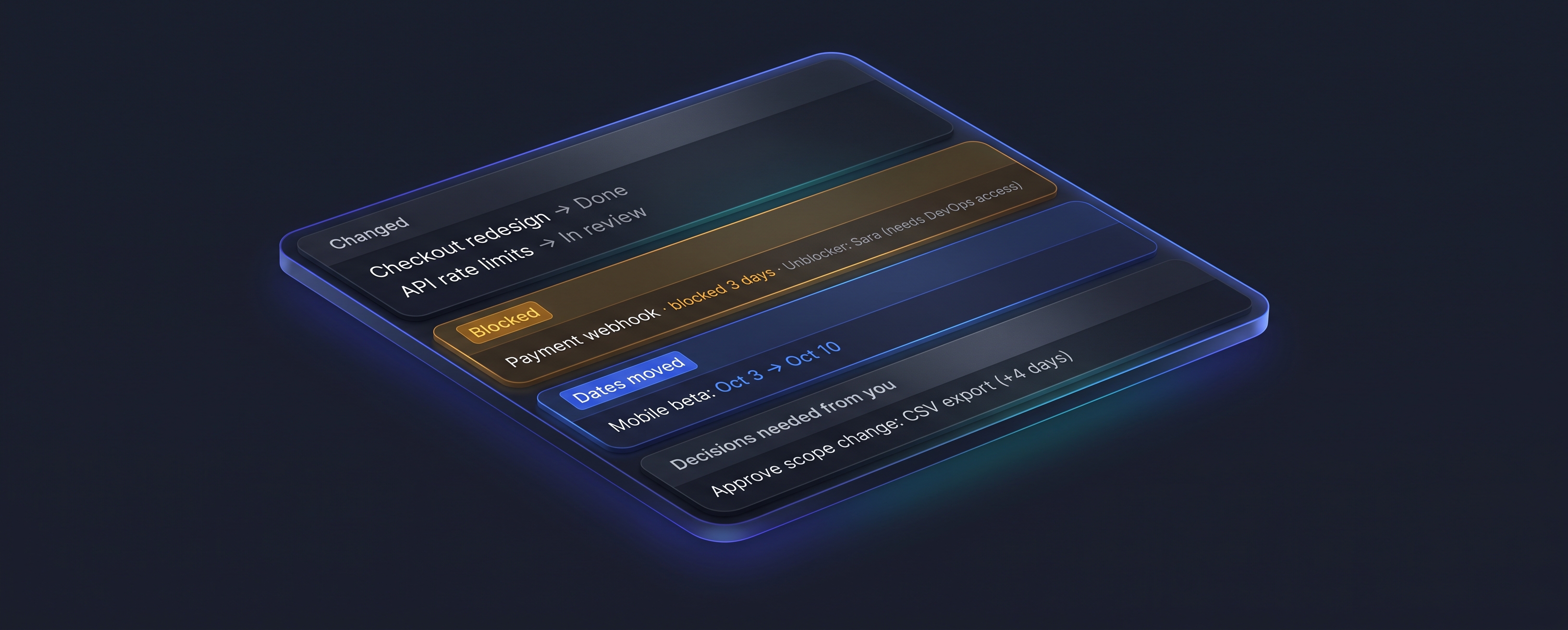
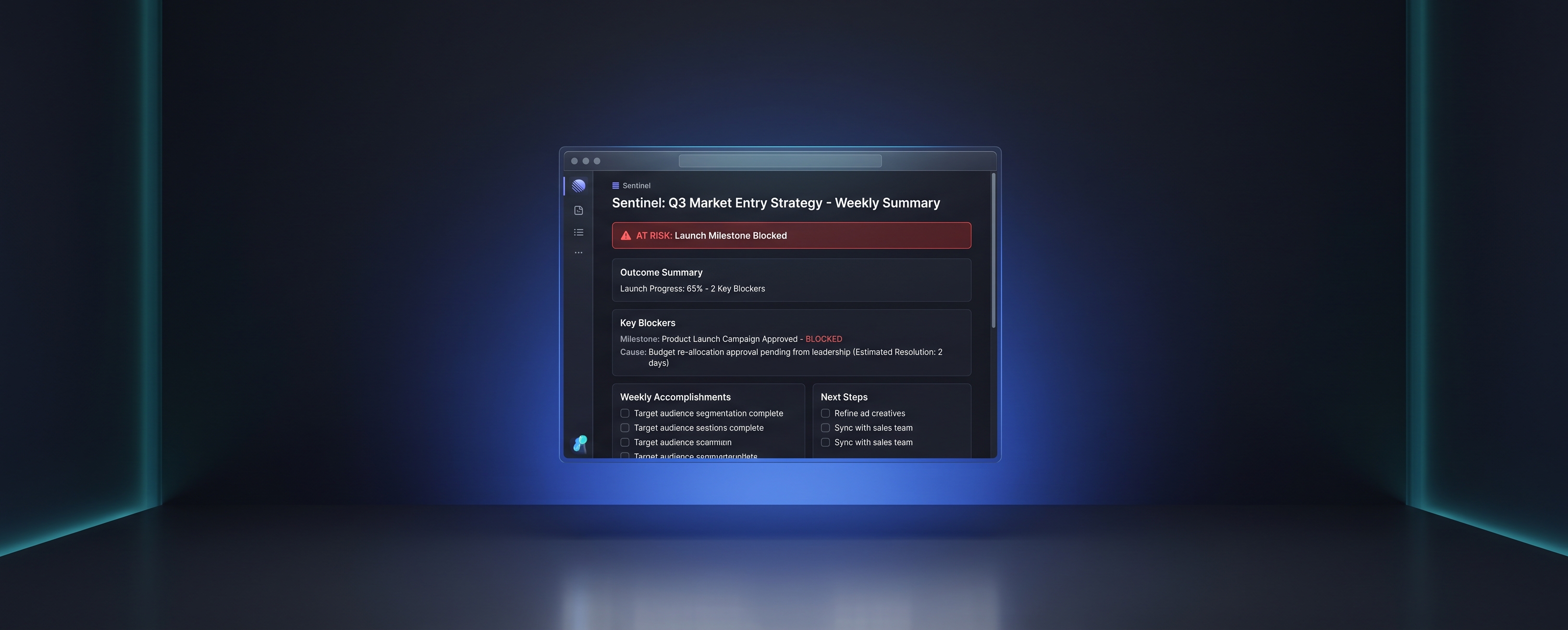
Have AI generate a weekly digest from your task tool and team chat in exactly four buckets:
Using the task activity and messages from the last 7 days, write a digest with ONLY these sections:
CHANGED what moved to done, or materially changed, since the last digest.
BLOCKED each blocker, how long it's been blocked, and the specific person who can unblock it.
DATES MOVED every due date that changed, the old date, and the new date.
DECISIONS NEEDED FROM ME anything waiting on my call.
If something doesn't fit these four sections, leave it out.
UI card
Then cancel one recurring status meeting and keep a short slot only for the "decisions needed" items. An eight-person, 45-minute weekly status call burns six person-hours every week roughly 300 hours a year spent reading updates aloud.
7. Treat silence as a signal
The most dangerous task on your board usually isn't the red one. It's the one nobody has mentioned in nine days. Problems are loud late and quiet early.
The advanced move is to use relative silence thresholds instead of fixed ones. Two days of silence on a three-month task is normal. Two days of silence on a four-day task is an alarm.
From this task export, flag every in-progress task where the time since its last update,
comment, or linked activity is greater than 30% of the time remaining until its due date.
Sort by days until due. For each, draft a short, non-accusatory check-in message to the owner.
The check-in drafts matter. "Anything I can unblock on the migration?" gets you the truth. "Why hasn't this moved?" gets you a defensive status update.
Angle 4: Risk
8. Watch leading indicators, not lagging ones
"Is it late?" is a lagging indicator. By the time it's true, most of your options are gone. The signals worth watching show up weeks earlier:
Date slips any task whose due date has moved more than once. A date that's moved twice is rarely done moving.
Reopen rate tasks reopened after being marked done, which usually means requirements were unclear.
Silent scope work added after kickoff without the deadline changing.
Question pile-up a growing number of clarifying questions in the comments of a single task.
Starting over finishing work-in-progress rising while completions stay flat.
Leading risk indicators
Ask AI to score each active project on these five signals every week and report the trend, not just the snapshot. A project that went from one slipped date to four in two weeks needs your attention far more than one sitting steadily at two. Cross-check the results against the warning signs from your pre-mortem in play #2 that's where the two plays compound.
Angle 5: Communication
9. One update, three audiences
Team leaders constantly rewrite the same news. Executives want risk, money, and decisions. Clients want milestones and what they need to do. The team wants priorities and blockers. Write one honest internal update, then let AI produce all three versions.
One update, three audiences
Here is my raw internal project update. Rewrite it three ways:
EXECUTIVE: max 5 lines. Lead with any risk to the date or budget, then decisions needed.
CLIENT: no internal names or internal debates. Milestones, what's next,
and exactly what we need from them and by when.
TEAM: this week's priorities in order, current blockers, and who owns what.
Do NOT soften, reframe, or omit any risk in any version.
That last line is non-negotiable. AI assistants lean toward positive framing by default, and a softened risk in an executive update is how small problems become big surprises.
10. Keep a decision log separate from action items
Teams don't just lose tasks. They lose decisions and then relitigate them three weeks later in a meeting nobody wanted. When you run meeting transcripts through AI, ask for two separate outputs.
From this meeting transcript, produce two lists:
DECISIONS: what was decided, who made the call, why, and which alternatives were rejected.
ACTIONS: each action item with a single owner and a due date.
Flag any action missing an owner or a date, and any decision recorded without a reason.
The "rejected alternatives" field is the hidden gem. When someone asks "why didn't we just do X?" a month later, the answer is already written down and the meeting that would have happened doesn't.
Angle 6: Cost
11. Price every scope change before you say yes
Scope creep survives because "yes" feels free. It stops when every "yes" comes with a visible price attached.
When a new request arrives, have AI estimate its impact using your calibrated ratios from play #1 and current team load from play #4. Which tasks move? Which date moves? What does it cost in hours multiplied by your rate?
Your reply changes from "Sure, we'll fit it in" to "Yes that moves launch from the 14th to the 21st, or we drop the reporting module. Which would you prefer?" For agencies and consulting firms, that's a change order drafted in two minutes instead of a margin quietly absorbed.
12. Audit your own coordination tax and put a dollar figure on it
Most team leaders have never seen their own coordination cost as a number. Export one week of your calendar and a sample of your sent messages, then let AI do the accounting.
Here is one week of my calendar and a sample of my sent messages.
Classify every calendar block and message thread as CREATION, DECISION, or COORDINATION.
Total the hours in each category. Multiply coordination hours by $[your loaded hourly cost].
Then identify which specific coordination items could be replaced by an async digest,
a decision log, or automated check-ins.
That single number does two things. It shows you exactly where plays #6 through #10 will pay off. And it's the number that gets budget approved when you need to justify tooling to leadership.
The Math: How Much Time and Money AI Gives Back
Here's a simple formula you can adapt to any team:
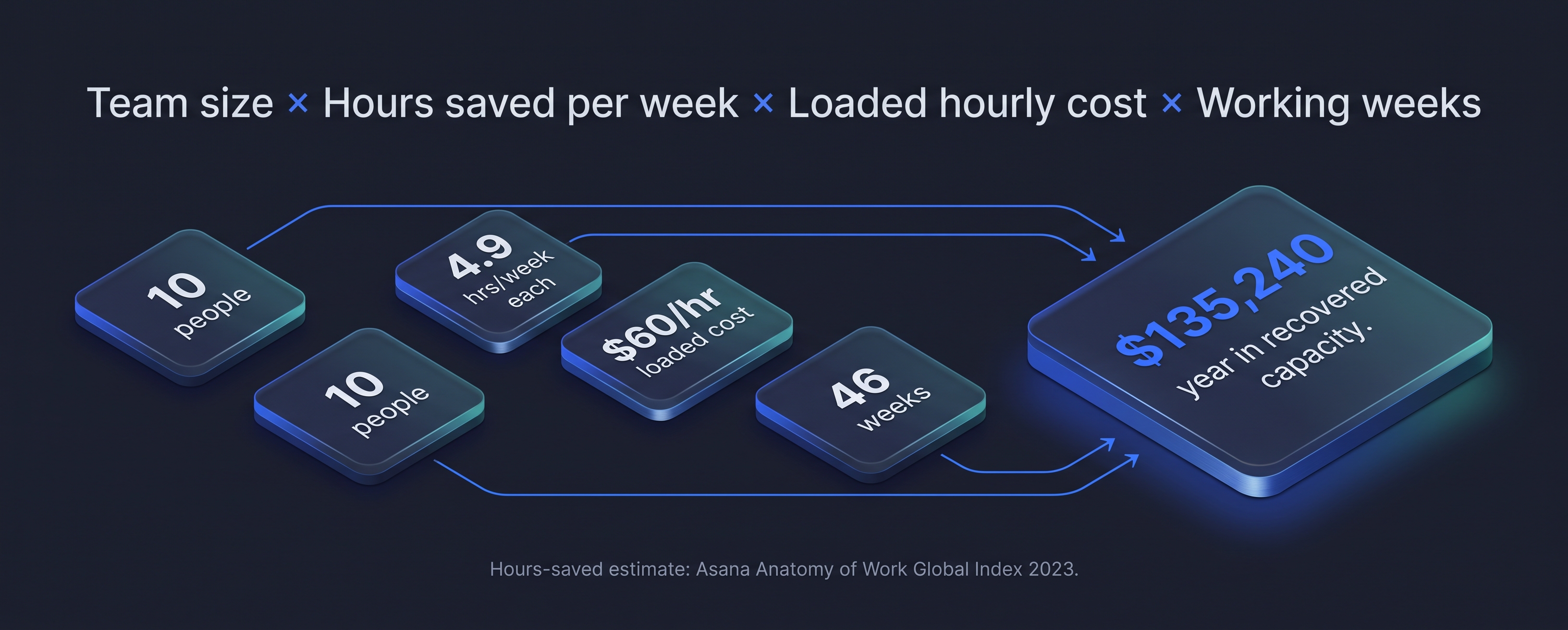
Recovered value = team size × hours saved per week × loaded hourly cost × working weeks per year
For the "hours saved" input, a conservative anchor comes from the same Asana research: knowledge workers estimated they could save about 4.9 hours a week with better processes.
Take a ten-person team with a loaded hourly cost of $60 (salary, benefits, and overhead) working 46 weeks a year:
10 people × 4.9 hours = 49 hours recovered per week
49 hours × $60 = $2,940 per week
$2,940 × 46 weeks = $135,240 per year in recovered capacityROI math infographic
That figure doesn't include the team leader's own reclaimed time, fewer late deliveries, or the smaller overruns that come from calibrated estimates. Context switching alone is worth a look: by Weinberg's model, moving one person from three concurrent projects down to two gives them back roughly a day a week.
One honest caveat. Recovered capacity only turns into money if you decide in advance where it goes shipping more, taking on another client, or not hiring the next coordinator. Otherwise it simply leaks back into more meetings.
What Team Leaders Shouldn't Hand to AI
AI earns its place by handling the monitoring and the mechanics. Some parts of the job should stay firmly with you.
Performance judgments are the first. Estimation ratios and activity data are planning inputs, not a review system, and using them that way destroys the honesty the data depends on.
Final prioritization calls are the second. Trade-offs that involve strategy, client relationships, or internal politics need a human who understands the context and owns the consequences.
Hard conversations are the third. AI can help you prepare and draft. You still deliver the message.
And finally, don't automate a broken process. Microsoft's researchers warned about exactly this: using AI to speed up a system that's already failing. If your workflow is chaos today, automating it just gets you faster chaos. Fix the flow first, then accelerate it.
Where Relay Orchestrator Fits
Every play in this article works with a general AI assistant and a CSV export. You can start this week, and you should.
But here's the honest catch: running twelve plays by hand is its own coordination job. Exporting data every week, rerunning prompts, remembering to check silence thresholds on Tuesday, updating the risk scores on Friday. The value of these plays comes from running them continuously and continuous is exactly what a busy team leader can't sustain.
That's why we built Relay Orchestrator. Relay covers every angle in this guide planning, assignment, visibility, risk, communication, and cost as an AI co-project manager that keeps working in the background, so your team gets the outcomes without you running the playbook manually. It's already trusted by more than 11,390 teams worldwide.
Dashboard
And we're never finished. We're constantly refining and improving Relay based on what teams tell us, because our goal is simple: every week, Relay should hand you back more time than the week before.
See Relay Orchestrator in action →
Frequently Asked Questions
How is AI used in project management?
AI in project management is used for planning, estimation, task assignment, status reporting, risk detection, and stakeholder communication. The highest-value uses involve continuous monitoring spotting slipping dates, overloaded teammates, and silent tasks rather than one-off content generation.
Will AI replace project managers?
No, but it will reshape the role. Gartner predicts AI will eliminate 80% of today's project management work by 2030, specifically data collection, tracking, and reporting. Judgment, prioritization, and leading people remain human responsibilities.
What's the best first step for a team leader adopting AI?
Start with the coordination audit (play #12) so you know your baseline cost, then replace one status meeting with a diff-based digest (play #6). Together they deliver visible time savings in the first week.
How much time can AI save a project team?
It depends on how much coordination overhead you're starting with. Asana's research found knowledge workers estimate they could save about 4.9 hours per week with better processes, which for a ten-person team adds up to nearly 50 hours a week.
Do I need a dedicated AI project management tool?
Not to start. A general AI assistant and your existing exports can run every play in this guide. A dedicated AI project management tool becomes worth it when you want these plays running continuously on live data instead of manually each week.
Conclusion
The teams getting real results from AI in project management aren't the ones generating task lists faster. They're the ones using AI to notice what humans miss biased estimates, overloaded teammates, silent tasks, and slipping dates early enough to do something about it.
Pick two plays from this guide and run them this week. Measure the hours they give back. Then decide how much of your week you want to keep spending on coordination.
If you'd rather have all twelve running without lifting a finger, try Relay Orchestrator from chaos to clarity.